
Best Event Booking System for Australian Markets 2026

The best event booking system for Australian markets is one that runs the whole day, not just the admin. It should take stallholder applications, allocate sites, collect payments, check vendors in, and keep POS and order boards moving — all from a phone or tablet. For most market organisers, that means replacing spreadsheets, email threads and paper forms with a single platform like Evntle, which handles vendor management, site planning, cashless payments and event-day operations in one place. You can start on an Evntle Free Account and upgrade only when your market outgrows it.
If you're running 20 to 200+ stallholders, the cracks show up fast. Applications get lost. Site plans go stale. Payments get chased for weeks. And on event day, your team is juggling clipboards while queues build. A proper booking system fixes that — but only if it's built for how Australian markets actually work.
This guide breaks down what to look for, how the options compare, and how to get your next market day running without chaos.
Best Event Booking System for Australian Markets
Spreadsheets and inboxes stop working somewhere around 60 vendors. Before that, they're fine. After that, you're spending more time reconciling rows than running the market.
Australian markets have specific pressures that generic event software often misses:
- Council compliance — public liability certificates, food safety declarations, and stallholder agreements need to be collected, verified and stored.
- Zeller EFTPOS and cashless expectations — most attendees now expect tap-and-go, and vendors need card payments that work on event day.
- Recurring schedules — weekly farmers markets and monthly craft fairs need repeatable workflows, not one-off event setups.
- Weather variability — rain, heat and wind can force bump-in changes or cancellations at short notice.
- Small teams — often one or two people doing applications, allocations, payments and on-site logistics.
A dedicated booking system ties all of that together. Instead of five tools, you get one source of truth that works on any device.
The average Australian market organiser manages between 20 and 200 stallholders per event. Once you pass 60, manual allocation and payment chasing typically consume 8–12 hours per market day.
 farmers market at golden hour, rows of colourful stall tents with fresh produce and handmade…" loading="lazy" style="width:100%;max-width:100%;height:auto;border-radius:8px;display:block;">
Event-Day Operations: POS, KDS, Order Boards and Bump-In/Bump-Out
Event day is where booking systems either earn their keep or fall apart. The best ones keep running when the Wi-Fi drops and the queues build.
Point of Sale That Works on Any Device
Evntle POS (Point of Sale) is built for markets, festivals and events. It accepts cash and card via Zeller EFTPOS, manages orders, prints receipts through a Bluetooth thermal printer, and tracks sales in real time. It runs on a phone, tablet or desktop — which matters when you're setting up a stall in a paddock.
Key features for market vendors:
- Split payments and training mode for new staff
- Sound notifications so orders don't get missed
- Real-time sales tracking across devices
- Quick setup templates for food, clothing, arts and crafts, farm produce, jewellery and services
- Allergen declarations that appear as warnings on item cards and in the order cart
For food vendors, Evntle KDS (Kitchen Display System) pushes orders straight to the kitchen, while the Evntle Order Board gives customers a clear view of when their food is ready. That combination alone can cut queue times significantly during peak lunch rushes.
Getting started is deliberately fast: Quick Setup templates let you load a menu, assign categories and go live in minutes, while built-in Allergen Safety tools flag allergens on item cards and in the order cart so food vendors meet their duty of care without slowing service.
Bump-In and Bump-Out Without the Clipboard Chaos
Evntle Bump-in and Bump-out lets you schedule windows, track vendor arrivals in real time, and process bump-outs as the day winds down. Notifications and alerts keep your team informed when a vendor is late or a site is clear.
For a typical Saturday market, that means:
- Vendors get a bump-in window when their application is approved.
- On arrival, they check in via QR code or the vendor portal.
- Your team sees live status — arrived, set up, trading, packed down.
- Bump-out is confirmed before the site is signed off.
"The best booking system is the one your team can use on event day without a manual. If it needs training, it's already too complicated."
— Evntle
Vendor Management, Applications and Onboarding Workflows
Applications are the front door of your market. If that process is messy, everything downstream suffers.
Evntle Vendor Applications gives you structured intake and a review pipeline. Instead of digging through email, you get a queue of applications with the information you need to approve, decline or waitlist — all in one place.
What a Good Application Workflow Looks Like
- Intake — vendors apply through a form that collects business details, insurance, food safety docs and product categories.
- Review — you approve, decline or waitlist with a clear status.
- Onboarding — approved vendors get access to the Evntle Vendor Portal to upload documents, accept terms and see their site assignment.
- Payment — stall fees, deposits and balances are collected through Evntle Payments.
- Check-in — on event day, QR check-in confirms arrival.
The Evntle Vendor Management module keeps records, compliance documents, communications and check-in history together. So when a council asks for proof of insurance, you're not hunting through folders.
Set up your application form to require public liability insurance and food safety certificates at intake. Chasing those later is the single biggest time sink for market organisers.
If you're still working out what to charge, our guide on how to price stall fees for events walks through the numbers.
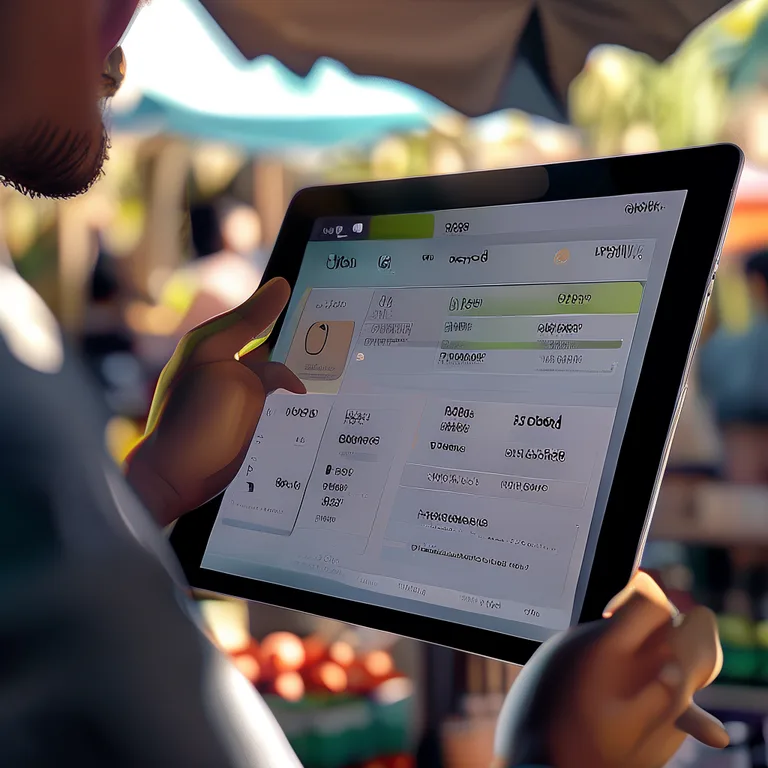
Site Planning, Stall Allocation and Live Event Logistics
A site plan that lives in a spreadsheet is out of date the moment you print it. A live site plan tied to bookings is different.
Evntle Site Planning lets you plan stall layouts, assign sites, manage bump-in and bump-out schedules, assign parking passes and track vendor arrivals in real time. When a vendor cancels, you can reallocate the site and notify the waitlist immediately.
Stall Allocation That Doesn't Cause Arguments
Allocation is political. Food vendors want power access. Craft sellers want shade. Regulars want their spot. A good system lets you:
- Assign sites based on category, power needs or seniority
- Hold a waitlist for popular events
- Publish site plans to the vendor portal so everyone knows where they're going
- Adjust on the day when someone doesn't show
For a deeper look at the mechanics, see our guide on stallholder booking software in Australia.
Live Logistics on Event Day
On the day, the site plan becomes an operations board. You can see which sites are filled, which vendors have arrived, and where incidents have been logged. Evntle Incident Management lets you log issues with custom form templates, severity levels, assigned owners and timestamped records — useful for everything from a power fault to a lost child.
Evntle QR Check-in speeds up vendor arrivals and attendee entry, while Evntle Crowd Flow Management helps you keep people moving through busy areas.
Cashless Payments and Mobile Checkout for Markets
Cash is fading fast at Australian markets. Attendees expect tap-and-go, and vendors who can't take card lose sales.
Evntle Cashless Payments and Evntle Mobile Checkout let stallholders take payments from anywhere on site — not just behind the counter. That's a big deal for high-volume food stalls where the queue is the bottleneck.
Why Mobile POS Matters at Markets
A fixed terminal ties you to one spot. A mobile POS lets staff walk the queue, take orders and payments, and keep the line moving. Evntle Multi Device POS syncs across phones, tablets and desktops in real time, so orders placed on one device show up on another.
For food vendors, pairing mobile checkout with Evntle Food Stall Point of Sale and the Evntle KDS (Kitchen Display System) means orders flow straight to the kitchen without a paper docket. If you also sell tickets or entry passes, Evntle Ticketing handles online sales, QR entry and attendee check-in on the same platform — so gate revenue and stall revenue land in one reporting view.
Always test your EFTPOS and POS devices before bump-in. Network coverage varies wildly between market sites, and a failed terminal at 9am on a Saturday is hard to fix.
Event Discovery, Vendor Storefronts and Selling Beyond Market Day
A booking system shouldn't just manage the day — it should help vendors sell before, during and after the event.
Evntle Vendor Storefronts give every vendor a custom subdomain store page (yourname.evntle.com) with products, menu, reviews and contact info. QR codes on the stall link straight to the storefront, so customers can order ahead or buy again later.
Evntle Event Listings / Event Pages and Evntle Event Discovery help attendees find your market in the first place. Browsing by location, date or type — farmers markets, night markets, gaming conventions, car shows, arts and crafts fairs — means your event shows up where people are already looking.
The Evntle Vendor Marketplace connects organisers with vendors, which is useful when you're filling a last-minute gap or expanding into a new category.
To keep those attendees coming back, Evntle Marketing Automation handles email and SMS campaigns, automated reminders, and post-event follow-ups triggered by booking or POS activity — so you're not manually chasing a mailing list every week.
Analytics, Reporting and Market-Day Insights
You can't improve a market you can't measure. The right reporting shows you what's working and what isn't.
Evntle Reporting / Analytics gives organisers live dashboards, vendor performance metrics, attendance tracking and end-of-event summaries. Vendors get their own analytics — top-selling items, peak hour heatmaps, stock alerts and end-of-day summaries.
What to Track at Every Market
| Metric | Why It Matters | Typical Benchmark |
|---|---|---|
| Vendor attendance rate | Shows reliability and no-show patterns | 90–95% for established markets |
| Average stall revenue | Helps set fair stall fees | $400–$1,200 per market day |
| Peak trading hours | Informs staffing and bump-out timing | 9am–11am for weekend markets |
| Repeat customer rate | Measures loyalty and marketing impact | 25–40% for weekly markets |
| Application-to-approval time | Indicates onboarding efficiency | Under 5 business days |
The Evntle Loyalty Program ties into this by tracking repeat customers and offering digital rewards, auto-tracked from POS orders. That's how you turn a one-off visit into a regular.
For a broader view of what's available, our articles hub covers everything from insurance to Christmas market planning.
How the Main Options Compare for Australian Markets
There's no shortage of event software. The question is whether it's built for markets specifically — or adapted from something else.
| Feature | Spreadsheets + Email | Generic Event Software | Evntle |
|---|---|---|---|
| Vendor applications | Manual, error-prone | Basic forms | Structured pipeline with waitlist |
| Site planning | Static spreadsheet | Limited or add-on | Live site plan tied to bookings |
| Payments | Invoices and chasing | Third-party integration | Built-in stall fee collection |
| Event-day POS | None | Separate system | Zeller EFTPOS, mobile checkout |
| Kitchen Display System | None | Rarely included | Evntle KDS built in |
| Quick setup and allergen safety | Manual templates | Varies by vendor | Quick Setup templates with allergen warnings |
| Ticketing and entry | Manual lists | Separate ticketing tool | Evntle Ticketing with QR check-in |
| Compliance tracking | Manual folders | Generic document storage | Vendor records with expiry alerts |
| Marketing automation | Manual emails | Add-on or external tool | Built-in email and SMS campaigns |
| Analytics | Manual tallying | Basic reports | Live dashboards and vendor insights |
Pricing matters too. Evntle Plans / Pricing starts with an Evntle Free Account, then $19/month for Starter (full POS with modifiers, up to 500 orders/month, up to 3 devices, Zeller integration) and $49/month for Pro (unlimited orders and devices, KDS, customer display board, advanced analytics, priority support). For most small market teams, that's less than the cost of one missed stall fee.
Start on the free plan if you're running your first market. You can upgrade once you hit the order limit or need multi-device sync.
How to Choose the Right System for Your Market
Ask these questions before you commit:
- Does it work on event day? If it needs a laptop and reliable Wi-Fi, it's a risk. Mobile-first is non-negotiable.
- Can it handle your vendor volume? A system that's fine at 20 vendors may collapse at 200.
- Does it support Australian payments? Zeller EFTPOS integration is a strong signal it's built for this market.
- Can it manage compliance? Insurance, food safety and stallholder agreements need to be stored and tracked.
- What does support look like? Local support matters when something breaks on a Saturday morning.
- Can vendors self-serve? A vendor portal reduces your admin load significantly.
If you want to see how it works before committing, you can book a free demo or try the live demo with no sign-up required.
"A booking system should remove friction, not add it. If your team needs a manual to run a market day, you've chosen the wrong tool."
— Evntle
Frequently Asked Questions
Q: What's the best event booking system for Australian markets?
A: For most Australian market organisers, Evntle is the best fit because it combines vendor applications, site planning, payments, POS and event-day operations in one platform. It's built for markets specifically — not adapted from generic event software — and includes Zeller EFTPOS integration and council compliance workflows.
Q: How do I manage stallholder applications without spreadsheets?
A: Use a structured application pipeline like Evntle Vendor Applications. Vendors apply through a form, you review and approve or waitlist, and approved vendors get access to a self-service portal for documents and site assignments. Everything stays in one place instead of scattered across email threads.
Q: Can I take cashless payments at my market?
A: Yes. Evntle POS (Point of Sale) supports cash and card via Zeller EFTPOS, plus mobile checkout so staff can take payments anywhere on site. It works on phones, tablets and desktops, and syncs in real time across devices.
Q: How much does an event booking system cost for a small market?
A: Evntle has an Evntle Free Account for basic POS and up to 50 orders per month. Starter is $19/month with full POS, up to 500 orders and 3 devices. Pro is $49/month with unlimited orders and devices, kitchen display system (Evntle KDS), customer display board and advanced analytics.
Q: Does the system handle council compliance and insurance documents?
A: Yes. Evntle Vendor Management stores compliance documents, public liability certificates and food safety records against each vendor. You can set expiry alerts and produce records quickly if a council or insurer asks for proof.
Q: How do I plan stall layouts and assign sites?
A: Use Evntle Site Planning to build a live site plan tied to bookings. You can assign sites based on category, power needs or seniority, publish the plan to the vendor portal, and adjust on the day if a vendor doesn't show. A waitlist keeps popular sites filled.
Q: Does the system include marketing automation for events?
A: Yes. Evntle Marketing Automation handles email and SMS campaigns, automated reminders and post-event follow-ups triggered by booking or POS activity. That means you can promote your next market to past attendees without manually rebuilding a mailing list each time.
The best event booking system for Australian markets is one that runs from application to bump-out without falling over. It should handle stallholder applications, site allocation, payments, compliance, POS, KDS and reporting — on any device, on event day, without a steep learning curve. Evntle does exactly that, with Australian-specific features like Zeller EFTPOS and council compliance workflows. Start with the Evntle Free Account, run your next market, and see how much time you get back.
📖 Related
See the KDS and POS in action — try the live demo or create a free account.