
Ecommerce Platform for Events: The Complete Guide

An ecommerce platform for events is a connected system that handles vendor applications, ticketing, point of sale, cashless payments, site planning, and attendee discovery in one place. Unlike a generic online store, it is built for live, physical events where stock moves fast, connectivity drops out, and queues build in minutes. For Australian market managers and festival directors, the right ecommerce platform replaces spreadsheets, inboxes, and a dozen disconnected apps with a single operational hub that keeps organisers, stallholders, and attendees on the same page from bump-in to bump-out.
Spreadsheets and inboxes stop working somewhere around 60 vendors. That is the point where stallholder applications start slipping through the cracks, site plans become guesswork, and nobody can tell you what actually sold until a week after the event. An ecommerce platform built for events fixes that — but only if it understands how live events actually run.
What an Ecommerce Platform Actually Does for Events
Most people hear "ecommerce platform" and picture an online shop. For events, the definition is broader. An event ecommerce platform connects three groups — organisers, vendors, and attendees — through shared data and shared payments. It handles the commercial and operational side of a live event, not just the checkout.
Here is what a proper event ecommerce platform covers:
- Vendor and stallholder management — applications, approvals, waitlists, site allocation, and payments
- Ticketing and attendee registration — tiered pricing, capacity limits, dietary requirements, and fast scanning at the gate
- Point of sale and cashless payments — stall-level POS that works offline and syncs when connectivity returns
- Site planning and logistics — interactive maps, bump-in and bump-out schedules, parking passes, and amenity tracking
- Attendee discovery and engagement — event listings, vendor profiles, and tools to bring people back
- Analytics and reporting — live sales dashboards, top-selling items, and end-of-event summaries
If you are still weighing up whether you need a full vendor marketplace or just a ticketing tool, our breakdown of vendor marketplace vs ticketing software is a good place to start. The short version: ticketing gets people through the gate, but it does nothing for stallholder bookings, POS, or site plans.
The best event ecommerce platforms treat payments, vendors, and attendees as one connected system — not three separate tools bolted together.
Why Australian Event Organisers Are Moving to Integrated Ecommerce Platforms
Australian markets and festivals have a specific set of pressures. Distances are long. Weather is unpredictable. Card use is now dominant — the Reserve Bank of Australia reports that cash accounted for just 13% of in-person transactions in 2022, down from 27% in 2019. If your vendors are still cash-only, you are turning away the majority of your customers.
The other pressure is admin. A market with 80 stallholders running monthly generates thousands of small decisions: who gets which site, who has paid their bond, who has a current public liability certificate, who is arriving at 5am for bump-in. Done manually, that is a part-time job. Done on an integrated ecommerce platform, it is a workflow.
"The moment you can see every stall's sales in real time, you stop guessing about your vendor mix and start making decisions with actual numbers."
— Evntle
That is the shift Evntle was built around. Rather than stitching together a form builder, a spreadsheet, a payment terminal, and an email list, Evntle connects vendor applications, site planning, POS, and attendee discovery into one platform. Organisers set up an event once, and the same data flows through applications, approvals, site maps, stall fees, and end-of-day reporting.
The real cost of fragmentation
Fragmented tools do not just annoy organisers — they cost money. Every manual step is a place where a payment gets missed, a vendor gets double-booked, or a stock count is wrong. Here is how the two approaches compare on a typical monthly market.
| Task | Spreadsheets & separate apps | Integrated ecommerce platform |
|---|---|---|
| Vendor applications | Email inbox, manual review, no waitlist | Structured forms, status pipeline, automatic waitlist |
| Site allocation | Whiteboard or static PDF, changes by text | Interactive site map, live changes, vendor notifications |
| Payments at stalls | Individual card readers, no central visibility | Multi-device POS with live sales across all stalls |
| End-of-event reporting | Manual tally, days later | Live dashboard, CSV/PDF export on the day |
| Attendee follow-up | Nothing — attendees leave and are gone | Vendor storefronts and loyalty tools for repeat sales |
Vendor and Stallholder Management on an Ecommerce Platform
Vendor management is where most organisers feel the pain first. Applications arrive by email, get sorted into folders, and slowly turn into a mess. An ecommerce platform for events replaces that with a structured pipeline: application, review, approval or decline, site assignment, payment, and onboarding.
From application to approved stallholder
- Vendors submit a structured application with product details, insurance, and site requirements.
- Organisers review against clear criteria and approve, decline, or waitlist.
- Approved vendors are assigned a site on an interactive map and sent an offer.
- Stall fees, deposits, and bonds are tracked and reconciled.
- Vendors receive bump-in windows, parking passes, and event-day information through a vendor portal.
Evntle's vendor application management software handles this end to end, including waitlists for popular events. When a vendor pulls out two weeks before the market, you are not scrambling through old emails — you are promoting the next person on the waitlist and sending them a site offer in a couple of clicks.
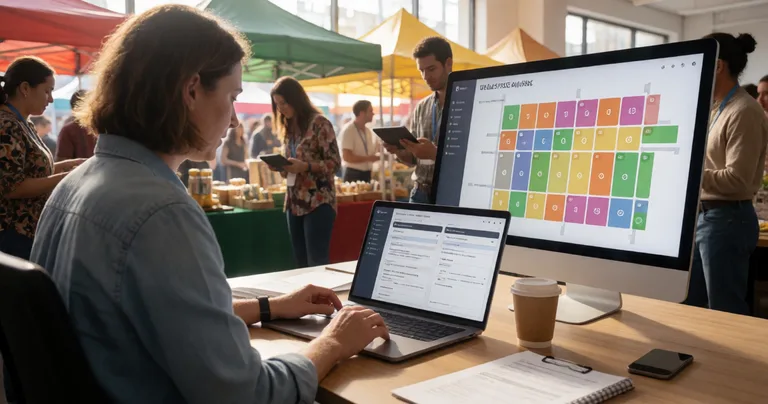
Keep a waitlist for every event, even the ones that never sell out. Vendor mix changes fast, and a ready waitlist protects your site plan when cancellations hit.
Point of Sale and Cashless Payments at Live Events
Payments are where event ecommerce platforms earn their keep. A food stall at a busy festival might serve 300 customers in four hours. If each transaction takes 40 seconds instead of 20, you have lost 100 sales. Speed is money.
Evntle POS is built for exactly this. It runs on phone, tablet, or desktop, supports cash and card through Zeller EFTPOS, handles split payments, and works offline when connectivity drops — which it will at a paddock-based market or a packed convention hall. Orders sync across devices in real time, so a second till at the same stall sees the same stock and the same sales.
What to look for in event POS
| Feature | Why it matters at an event | Evntle POS |
|---|---|---|
| Offline mode | Connectivity drops at outdoor sites | Yes — sales captured and synced on reconnect |
| Multi-device sync | Multiple tills at one stall or across stalls | Real-time sync across phones, tablets, desktop |
| Cashless payments | Most customers now pay by card or phone | Card and cash via Zeller EFTPOS |
| Allergen warnings | Food safety and customer confidence | 13 common allergens flagged on item cards and cart |
| Live sales visibility | Know what is selling while the event runs | Live dashboard and peak-hour heatmaps |
For food vendors, the queue is the enemy. Evntle's kitchen display system and order board keep orders moving without staff shouting ticket numbers across a crowd. Combined with mobile checkout, a stall can take payment on a handheld device while another staff member prepares the next order — cutting the queue in half.
If you are planning your first cashless event, our guide to preparing cashless sales for events walks through terminals, connectivity, staff training, and reporting so nothing catches you out on the day.
Market and Festival Planning: Sites, Logistics, and Crowd Flow
Site planning is the quiet foundation of a good event. Where stalls go determines foot traffic, which determines sales. A food truck tucked in a dead corner will underperform no matter how good the food is. An ecommerce platform with site planning tools lets you map zones, sites, power, water, waste, and parking before bump-in day.
Bump-in, bump-out, and event-day logistics
Bump-in is chaos unless it is scheduled. Evntle's bump-in and bump-out tracking gives every vendor an arrival window, records arrivals and departures in real time, and sends notifications when a vendor is late or a site is clear. Incident management lets staff log issues with custom forms, severity levels, and assigned owners — so a spill, a power fault, or a first-aid event is documented and actioned, not lost in a group chat.
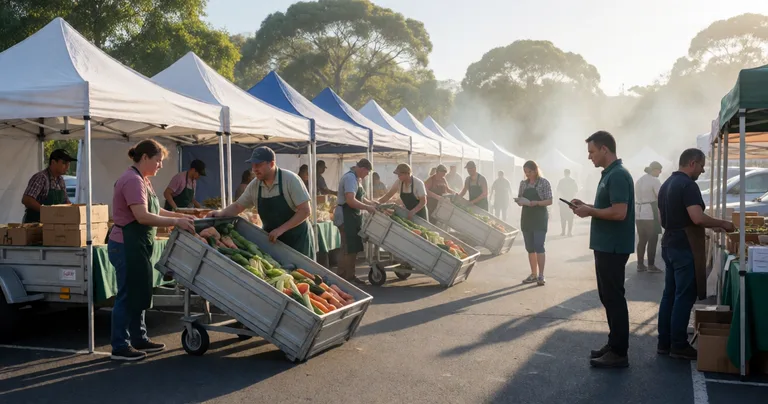
Never run bump-in on a whiteboard alone. If you cannot see which sites are filled and which vendors have arrived, you will double-book or leave gaps — and vendors will notice.
Crowd flow matters just as much. Wide main aisles, food clustered to draw people through the site, and clear exit routes keep people moving and spending. Evntle's analytics show which zones perform and which sit quiet, so next event's site plan is built on real data rather than instinct.
Attendee Discovery and Engagement: Turning One Visit into Repeat Sales
The event ends. Attendees go home. Without an ecommerce platform behind the scenes, that is the last you hear from them. With one, it is the start of a relationship.
Evntle's event discovery platform lets attendees browse markets, festivals, and conventions, filter by location, date, or type, preview vendor profiles, and follow favourites. Vendors get a digital storefront — a branded online shop that keeps selling between market days. A candle maker who sells 40 candles on Saturday can sell another 20 the following week without leaving the house.
Loyalty tools track repeat customers automatically from POS orders, so regulars can be rewarded without any manual admin. Ticketing collects dietary requirements and attendee details at the point of sale, which feeds straight into vendor planning and event communications.
"A market is not one event. It is a recurring relationship with people who already like what you sell."
— Evntle
Analytics and Vendor Sales: Making Better Decisions with Real Data
Analytics is where an ecommerce platform stops being an admin tool and becomes a business tool. Live revenue dashboards show what is selling while the event is still running. Peak-hour heatmaps show when your crowd is biggest. Stock alerts stop vendors running out mid-service. End-of-day summaries export as CSV or PDF.
For organisers, vendor analytics reveals which stall types perform, which zones drive sales, and which vendors are worth inviting back. For vendors, it turns every market day into a data point — what sold, at what price, to whom. Over a season, that adds up to a much sharper business.
If you want to go deeper on the numbers, Evntle's event analytics tools cover sales, vendors, and attendees, and our article on live event commerce trends looks at where the Australian market is heading next.
Frequently Asked Questions
Q: What is an ecommerce platform for events?
A: An ecommerce platform for events is software that handles the commercial side of live events — vendor applications, stallholder bookings, ticketing, point of sale, cashless payments, site planning, and attendee discovery — in one connected system. It is different from a general online store because it is designed for physical, time-limited events where stock, queues, and connectivity all matter.
Q: How do I choose the best ecommerce platform for my market or festival?
A: Look for four things: vendor management with structured applications and waitlists, POS that works offline and syncs across devices, cashless payment support, and reporting you can use on the day. If a platform only does ticketing, you will still be running vendor admin on spreadsheets.
Q: Can an ecommerce platform handle cashless payments at outdoor events?
A: Yes, if it supports offline mode. Evntle POS captures sales when connectivity drops and syncs automatically when the network returns, so vendors never lose a transaction. Card and cash are both supported via Zeller EFTPOS.
Q: What's the best way to manage vendor applications at scale?
A: Use a structured application pipeline with clear criteria, staged reviews, and a waitlist. Evntle's vendor application management software lets organisers screen, approve, and onboard stallholders faster, and keep a ready waitlist for cancellations.
Q: How does an ecommerce platform help vendors sell more after the event?
A: Through vendor storefronts and loyalty tools. Attendees who discover a stall at the market can buy again online, and repeat customers can be tracked and rewarded automatically from POS orders. That turns a one-off market visit into an ongoing customer relationship.
Q: Why should Australian organisers move off spreadsheets?
A: Spreadsheets break down once you pass roughly 60 vendors. Integrated platforms cut admin, reduce errors, give live sales visibility, and make site planning and reporting far faster. For recurring monthly markets, the time saved alone usually justifies the switch.
An ecommerce platform for events is not just a nicer checkout — it is the operational backbone that connects organisers, vendors, and attendees from the first application to the last sale. If you are running markets, festivals, or conventions and still juggling spreadsheets, inboxes, and disconnected card readers, the switch is worth it. Evntle brings vendor management, ticketing, POS, cashless payments, site planning, and attendee discovery together so you can run better events without overpromising.
Ready to see it in action? View Evntle pricing and plans and set up a free account to run your next event on one connected platform.
📖 Related
See the KDS and POS in action — try the live demo or create a free account.