
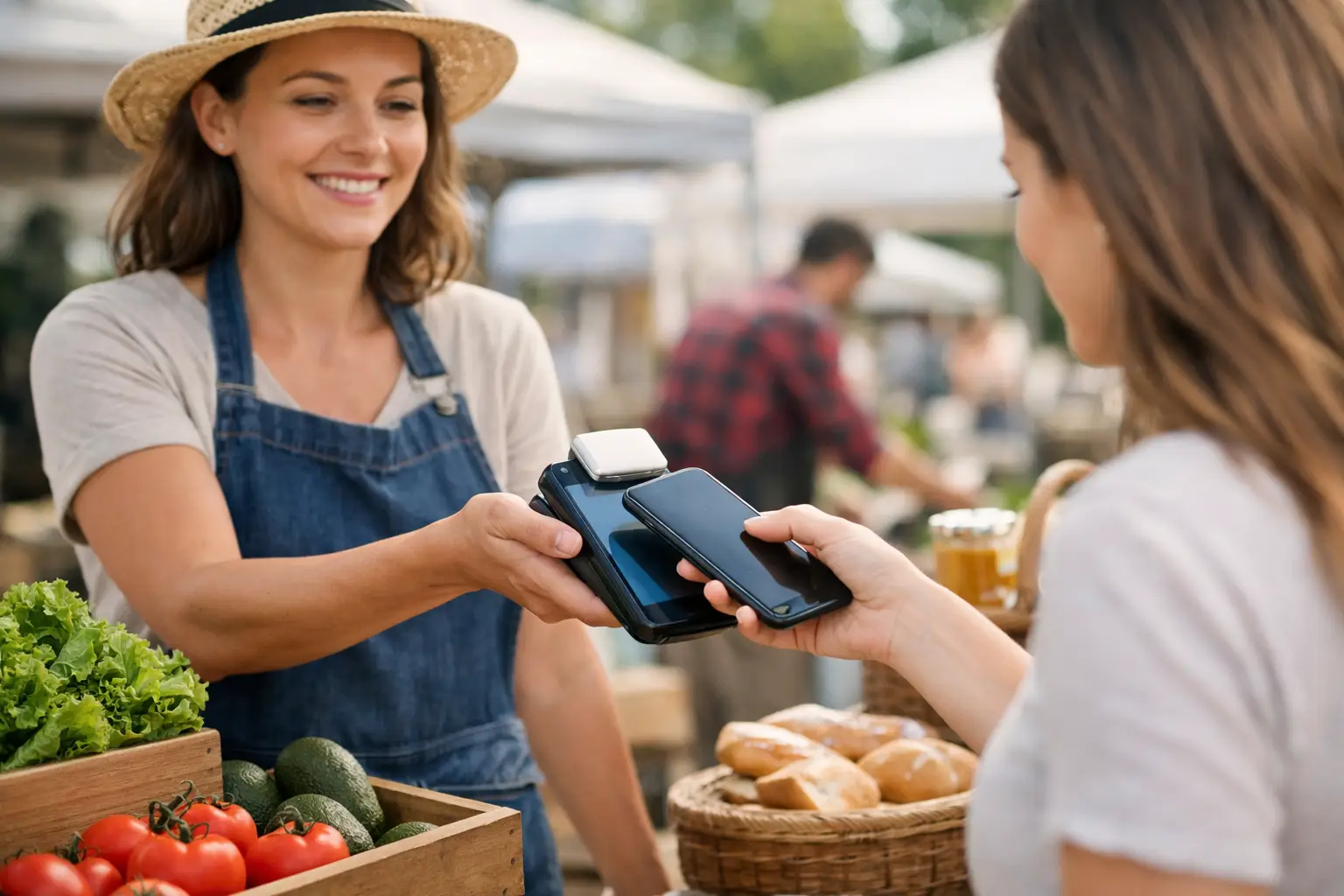
A Saturday market queue can change fast. One customer wants to tap for a coffee, another is asking about a size, and a third has already spotted something else on the table. Mobile checkout for stallholders is what keeps that moment commercially useful instead of turning it into a bottleneck. When payment, product information and sales records are ready at the counter, you can serve people quickly without losing the friendly, face-to-face experience that makes markets work.
For food traders, makers, vintage sellers and mobile retailers, checkout is not just the final step in a sale. It affects queue length, stock accuracy, customer confidence and whether someone decides to come back later. The right setup needs to work in a busy outdoor environment, not just look good in a quiet shop.
Why mobile checkout matters at a busy stall
Cash still has a place at many Australian markets, but customers increasingly expect to tap a card, phone or wearable and move on. A stall that only accepts cash can lose an impulse purchase when the nearest ATM is two blocks away. A stall with a slow or unreliable card process can lose the next customer in line.
The practical benefit of mobile checkout is speed, but the operational benefit goes further. Every completed transaction can show what sold, when it sold and how the day performed. That matters when you are deciding whether to bring more salted caramel brownies, restock a popular print, or change the size run on your next apparel order.
Mobile checkout also gives small teams more flexibility. A food stall can take orders at the front while another team member prepares meals. A craft seller can step out from behind a crowded table to help a customer, then complete the sale without directing them back to one fixed till. At a large fair, a second device can prevent one queue becoming the reason people walk away.
Build a mobile checkout setup for real event conditions
A reliable setup starts before the gates open. Your payment device is only one part of the workflow. Think about the stall layout, connectivity, power, stock and how your team will handle a rush.
Keep the customer flow obvious
Customers should be able to see where to browse, where to ask questions and where to pay. For a small stall, that may mean displaying a clear payment point near the end of the table. For a food vendor, it often means separating ordering from collection, even if the same person is managing both during quiet periods.
Keep commonly sold products easy to find in your checkout system. If you sell ten types of candles, for example, use clear names and prices rather than relying on memory. Variations such as size, colour and flavour need to be just as simple. A vague product list creates mistakes when the line is longest.
It is worth setting up your tax settings, discounts and refund process before event day too. You do not want to work out how to correct a duplicate tap while six people are waiting with prams, dogs and coffees.
Plan for weak signal and flat batteries
Markets are often held in places where mobile coverage is variable: showgrounds, heritage precincts, regional ovals and indoor halls with thick walls. Test your chosen connection at the actual site where possible. If your device can use mobile data, make sure its plan and signal are suitable. If you rely on a mobile hotspot, confirm that it is charged and that another team member knows how to connect.
Battery management is equally basic and equally easy to overlook. Charge terminals, mobiles and tablets fully the night before, then bring power banks and charging cables. If your event provides power, check what is supplied and where the outlet sits in relation to your site. A lead running across a customer path is a trip hazard, not a solution.
Before opening, test these five things:
- a tap payment and a receipt
- each main product category and price
- mobile data or Wi-Fi at the stall
- the battery level on every working device
- access for each staff member who may take payments
This takes a few minutes. Recovering from a failed checkout setup during the morning rush can take far longer.
Mobile checkout for stallholders should protect the sale
The best checkout experience feels quick to the customer but gives the seller control. That means clear payment confirmation, easy access to refunds when needed, and records you can trust once pack-down starts.
Receipts are a good example. Some shoppers do not need one for a $6 pastry, while others need a record for a larger purchase or business expense. Offering a digital receipt keeps things practical and reduces paper clutter, but make the choice straightforward. If a customer has to spell out their email address over a noisy crowd, it may not be worth holding up the queue.
You also need a plan for the occasional payment issue. A tap can fail because of signal, a bank delay or a customer’s card. Train anyone helping on the stall to check whether a payment has actually been approved before asking the customer to try again. This avoids awkward double charges and gives your business a more professional feel.
For higher-value products, consider how you will handle deposits, split payments or collection later in the day. The right answer depends on your category. A ceramic artist selling one-off pieces has different needs from a burger vendor processing dozens of similar orders each hour. Build the flow around the way your customers genuinely buy.
Turn checkout data into better market decisions
A busy stall can feel successful and still leave you unsure about the numbers. Mobile checkout changes that by making sales activity visible while the details are still useful.
Look beyond total takings. Notice which products sell early, which items perform after lunch, and which offers increase basket size. A candle maker may learn that gift bundles sell better at Christmas markets than individual jars. A food operator may see that a drink add-on performs best when it is offered at the point of order. A vintage trader may discover that one price range consistently moves faster than another.
This information is also useful when applying for future events. Organisers want vendors who are prepared, popular and easy to work with. Knowing your typical transaction volume, best-selling lines and busy trading periods helps you request the right site, bring suitable stock and plan staffing with more confidence.
Data should support judgement, not replace it. Rain, foot traffic, event programming and nearby vendors all affect the day. Compare several events before making big buying decisions, especially if you sell at different types of markets.
Connect payment with the rest of your stall operations
A standalone card reader can take payment, but it cannot always tell the wider story of your business. Stallholders often juggle separate tools for product lists, online orders, event applications, customer details and sales reporting. That creates extra admin after every market.
A connected event commerce platform can bring these tasks closer together. With Evntle, vendors can manage a storefront, sell on-site, support event discovery and stay connected to the organisers and customers around each event. The benefit is not more software for its own sake. It is fewer gaps between preparing for an event, trading on the day and following up afterwards.
For example, a shopper who discovers your stall before a market can arrive knowing what they want. A vendor can keep their offer visible after pack-down rather than relying entirely on the next weekend’s foot traffic. An organiser can coordinate vendor operations with better visibility across the event. Each part supports the others when the system is designed for live commerce rather than a generic retail counter.
Choose the setup that fits your stall, not someone else’s
There is no single perfect mobile checkout setup. A one-person jewellery stall may prioritise a compact device, a simple product catalogue and easy digital receipts. A high-volume food vendor may need multiple devices, fast order handling and a clear handover between payment and collection. A seller working regional events may place connectivity and battery life ahead of every other feature.
Start with the pressure point that costs you the most sales now. Is it a slow queue? Missing stock information? End-of-day reconciliation? Customers asking whether you take cards? Choose tools that solve that problem cleanly, then add capability as your event calendar grows.
The most useful checkout system is the one your team can operate confidently when the weather shifts, the crowd arrives early and every customer wants to pay at once. Get that foundation right, and your stall has more room to do what it came to do: serve people well, sell more and become a familiar favourite on the market circuit.
📖 Related
See the KDS and POS in action — try the live demo or create a free account.