
Allergen Tracking for Food Stalls: A Practical Guide
Allergen tracking for food stalls is the process of recording every ingredient, mapping allergens across your menu, labelling items correctly, and training staff to prevent cross-contact. In Australia, food businesses must comply with FSANZ Food Standards Code 3.2.2 and the plain English allergen labelling requirements introduced in 2024. The simplest system is a master allergen matrix, updated whenever a recipe changes, paired with clear signage and a staff script. This guide shows you how to build that system and keep it running at busy markets and festivals.

Why Allergen Tracking for Food Stalls Matters in Australia
Food allergies affect around 1 in 20 children and 1 in 50 adults in Australia, and hospital admissions for anaphylaxis have doubled over the past decade. For a food stall, the stakes are high: a single mislabelled item can send a customer to hospital and put your business in front of a regulator. The FSANZ Food Standards Code requires you to declare the 11 major allergens — egg, fish, milk, peanuts, tree nuts, sesame, shellfish, soy, wheat, lupin, and added sulphites — on any food you sell unpackaged.
Since February 2024, the plain English allergen labelling rules also require you to use simple, consistent wording (for example, "wheat" instead of "gluten") and to declare allergens next to the ingredient in the ingredient list. For stallholders, this means you cannot rely on a handwritten sign that says "may contain nuts" and hope for the best. You need a documented system.
Allergen mislabelling is one of the most common causes of food recalls in Australia. Food Standards Australia New Zealand recorded 87 recalls in 2023, and undeclared allergens were the leading cause. A recall costs thousands in lost stock, freight and reputation — far more than a proper tracking system.
How Do I Build an Allergen Matrix for My Food Stall?
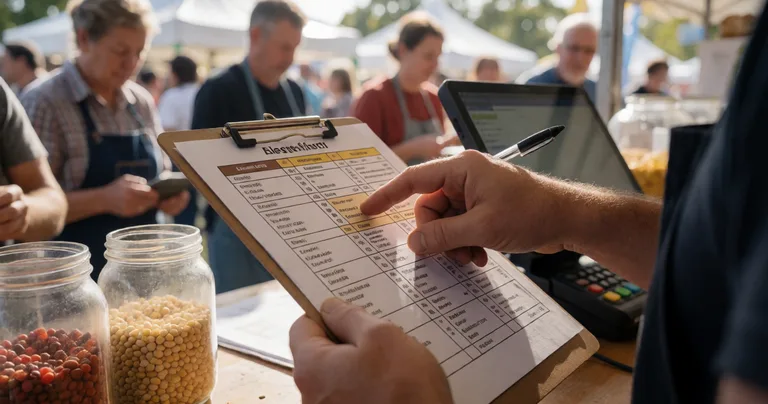
An allergen matrix is a simple table that lists every menu item down the left and every major allergen across the top. You tick a cell when the allergen is present. It takes about an hour to build and saves you hours of guesswork every market day.
- List every item you sell. Include sauces, garnishes, drinks, and condiments — not just the main dishes.
- Collect ingredient labels and supplier specs. Keep them in one folder, either physical or digital. Event management platforms like Evntle let you attach documents to each product so they are always on hand.
- Map the 11 major allergens. Use the FSANZ list. If an item contains none, mark it "allergen-free" only after checking every ingredient.
- Flag cross-contact risks. Fryers, grills, boards and utensils can transfer allergens. Note these in a separate column.
- Review and date the matrix. Update it every time a recipe or supplier changes. Sign and date the bottom.
If you want a ready-made template, see our guide on creating food allergen labels for stalls. It walks through the exact wording and layout that regulators expect.
Labelling Menu Items and Signage That Actually Works
Your signage is the front line of allergen tracking. Customers scan it in seconds, often in a queue, often in a hurry. Confusing signs are a liability. Clear signs are a selling point.
What should allergen signage include?
- The 11 major allergens listed in plain English.
- A clear statement of which items contain which allergens.
- A note about cross-contact (for example, "Our kitchen handles peanuts, tree nuts and sesame").
- A prompt to ask staff for the full ingredient list.
- Your business name and the date the sign was last updated.
Digital menus make this easier. Evntle POS lets you add allergen declarations and warnings directly to item cards and the order cart, so the information appears on the customer-facing display and on receipts. That means your allergen data travels with every transaction, not just the wall sign.
Use colour coding on your menu — green for allergen-free, amber for "ask staff", red for "contains allergens". It is faster for customers to read and reduces queue friction. Pair it with a QR code that links to your full ingredient list.
Training Staff to Handle Allergen Questions and Incidents
Your system is only as good as the person serving. Every staff member should know the matrix, know the cross-contact risks, and know what to do if a customer has a reaction.
How do I train staff on allergen tracking?
- Run a 20-minute induction before every event. Walk through the matrix item by item.
- Role-play the customer question. "Does this contain sesame?" should trigger a confident, accurate answer or a check with the kitchen.
- Teach the incident script. If a customer shows signs of anaphylaxis — swelling, difficulty breathing, hives — call 000 immediately, offer their adrenaline autoinjector if they have one, and stay with them.
- Log every incident. Use Evntle Incident Management to record what happened, when, and what you did. Timestamped records protect you and help you improve.
- Refresh training each season. Allergen rules and your menu change; so should your training.
"The best allergen system is the one your busiest staff member can follow at 1pm on a Saturday. If it needs a manual, it will fail."
— Evntle operations team
Integrating Allergen Tracking with Your POS and Operations
Allergen data should not live in a separate binder. It should be wired into the tools you already use to sell food. That is where most stalls lose time and accuracy.
What to look for in a food stall POS
| Feature | Why it matters for allergens | Example |
|---|---|---|
| Allergen fields on item cards | Staff see warnings at the point of sale, not after | Evntle POS |
| Order cart warnings | Customer-facing display shows allergen info before payment | Evntle Order Board |
| Receipt printing | Printed receipt can include allergen declarations | Evntle POS with thermal printer |
| Offline mode | Keeps working when market Wi-Fi drops | Evntle POS offline mode |
| Multi-device sync | Allergen updates push to every till instantly | Evntle multi-device sync |
If you are still using a cash-only till and a paper menu, the jump to a proper system is smaller than you think. Our guide on food stall point of sale covers the setup step by step.
Compliance, Records and Risk Management
Australian regulators do not just want a sign — they want evidence. If a council environmental health officer visits your stall, they may ask to see your allergen matrix, your ingredient records, your staff training log, and your incident register. Having these ready turns a stressful inspection into a five-minute conversation.
| Record | What to keep | How long |
|---|---|---|
| Allergen matrix | Current version, signed and dated | Until superseded + 12 months |
| Ingredient labels | Supplier specs and packaging | 12 months from last use |
| Staff training log | Names, dates, topics covered | 3 years |
| Incident register | Date, time, description, action taken | 3 years |
| Supplier approval records | Confirmation of allergen info | 12 months |
Evntle's food safety compliance for market vendors in Australia guide includes a downloadable record-keeping template that maps directly to these requirements.
Common Mistakes and How to Avoid Them
Most allergen failures come down to a handful of repeatable mistakes. Fix these and you remove most of your risk.
- Assuming a product is safe because it always was. Suppliers change recipes without telling you. Check labels every delivery.
- Relying on memory. If it is not written down, it is not a system.
- Ignoring cross-contact. A clean-looking fryer can still carry peanut oil from the previous batch.
- Using vague language. "May contain traces" is not a substitute for a proper declaration.
- Not updating digital menus. If your POS still shows an old recipe, you are selling the wrong information.

Key Takeaways
Allergen tracking for food stalls comes down to five things: a written allergen matrix, clear plain English signage, trained staff, allergen fields in your POS, and a simple record-keeping habit. Build it once, review it every season, and you protect your customers and your business.
Allergen tracking does not have to be complicated, but it does have to be consistent. Start with a matrix, put the data into your POS, train your team, and keep records you can show an inspector. Evntle brings vendor management, POS, incident logging and compliance records into one platform so you can spend less time on paperwork and more time serving customers. Create your free Evntle account to see how it fits your stall.
Frequently Asked Questions
Q: How do I track allergens at my food stall?
A: Build a master allergen matrix listing every menu item against the 11 major allergens, keep supplier labels on file, update the matrix whenever a recipe changes, and put the same data into your POS so staff see warnings at the point of sale.
Q: What should I do if a customer has an allergic reaction?
A: Call 000 immediately, help the customer use their adrenaline autoinjector if they have one, stay with them, and log the incident with the time, symptoms and action taken. Do not wait to see if symptoms pass.
Q: What are the 11 major allergens in Australia?
A: Egg, fish, milk, peanuts, tree nuts, sesame, shellfish, soy, wheat, lupin and added sulphites. These must be declared on unpackaged food under the FSANZ Food Standards Code.
Q: Do I need to label food sold unpackaged at a market?
A: Yes. Since February 2024, plain English allergen labelling rules require clear, consistent wording on unpackaged food, either on the sign, the menu or a label attached to the food.
Q: What is the best way to handle cross-contact at a busy stall?
A: Use separate utensils and boards for allergen-free orders, clean fryers between batches where possible, and tell customers honestly about the risk. A clear "we handle nuts and sesame in this kitchen" sign is better than a false promise.
Q: How often should I review my allergen matrix?
A: At least once per season, and immediately whenever a recipe, supplier or menu item changes. Date and sign each version so you can show an inspector your history.