
Point of Sale for Australian Markets and Events
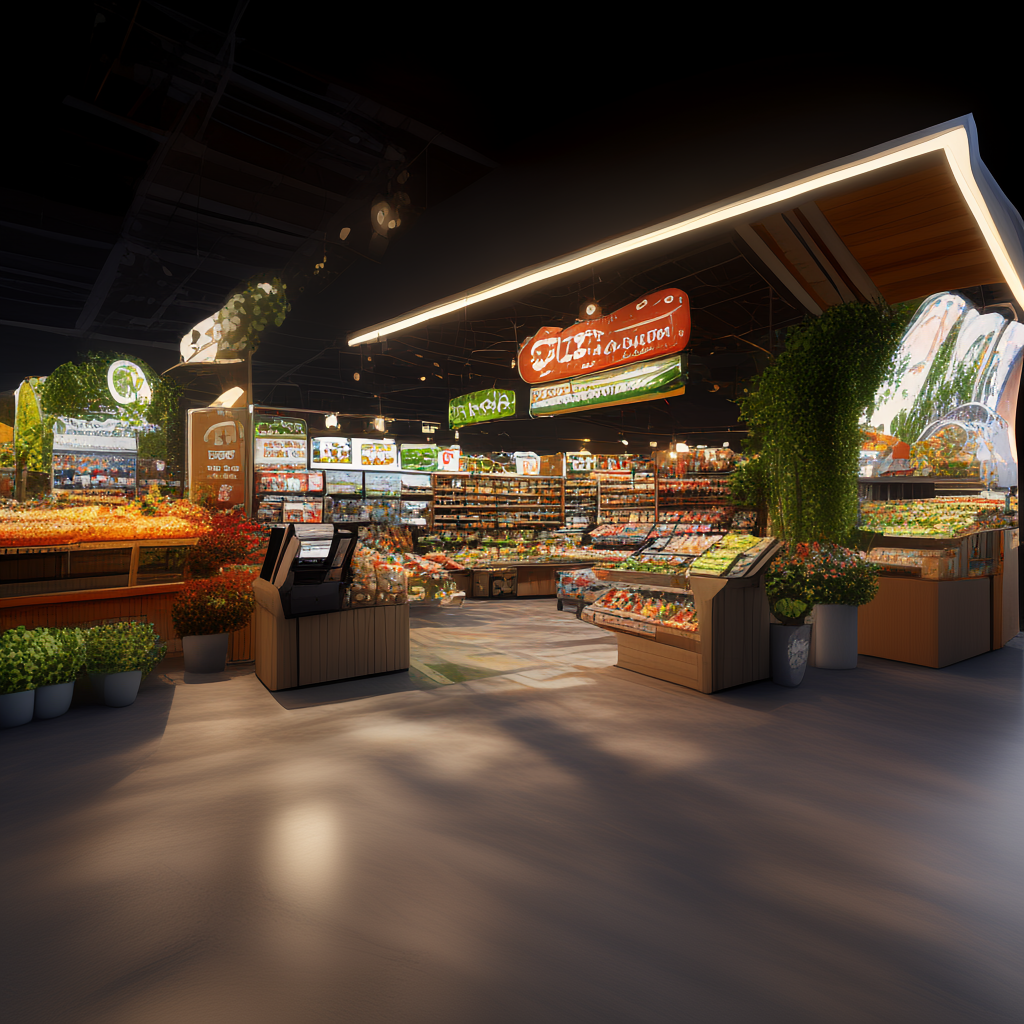
Point of sale (POS) is the system that takes payments, tracks stock, and keeps queues moving at your market stall or event. For Australian market and festival organisers, the best point of sale is one that works offline, syncs across multiple devices, handles cashless payments, and ties directly into vendor management and event reporting. Evntle POS does exactly that — it connects stallholder applications, site plans, payments, and on-the-day operations in one platform, so you stop juggling spreadsheets, emails, and disconnected tools.
If you run recurring markets, pop-ups, or large festivals, you already know the pain. Your vendors want faster checkout. Your attendees want shorter queues. You want clean data at the end of the day. This guide covers how point of sale works for Australian events, what to look for, how to set it up, and how to avoid the mistakes that cost vendors sales and organisers sleep.
What Is Point of Sale for a Market Stall?
Point of sale for a market stall is more than a card reader. It is the combination of hardware and software that lets a vendor take an order, accept payment, issue a receipt, and update stock — all in a few taps. For event organisers, POS also feeds into the bigger picture: which vendors are trading, what they are selling, and how the event performed.
A good POS for a market stall does four things well:
- Takes cashless payments quickly, including tap, card, and mobile wallets
- Shows a clear menu or product list that staff can use without training
- Works when the mobile signal drops — offline mode is non-negotiable
- Reports sales back to the vendor and the organiser without manual counting
If you are weighing up your options, our guide to food stall point of sale that keeps queues moving walks through the practical setup for food vendors in detail.
Australian market vendors who switched from cash-only to cashless POS reported an average transaction value increase of 23% within the first three months, according to industry data from the Australian Retailers Association (2024). Cashless also reduces cash handling risk and end-of-day reconciliation time.
Why point of sale matters for event organisers
Organisers often think POS is a vendor problem, not theirs. That is a mistake. When vendors cannot take payments reliably, attendees leave, complaints rise, and your event's reputation takes a hit. When POS is integrated with your event platform, you get live visibility of vendor sales, attendance patterns, and peak trading hours — data you can use to improve stall placement, pricing, and vendor mix next time.
How Do I Set Up POS for a Food Stall at an Event?
Setting up POS for a food stall is straightforward if you follow a clear sequence. Here is the process that works for Australian markets and events.
- Choose your POS platform. Pick a system built for events, not a generic retail POS. Evntle POS supports cashless payments, product bundles, stock control, and multi-device checkout.
- Build your menu or product list. Use pre-built templates by business type. Evntle's quick setup templates include allergen declaration and warning badges on item cards and the order cart.
- Pair your hardware. Connect a Bluetooth thermal printer and configure your Zeller EFTPOS terminal. Test both before event day.
- Set up staff access. Assign roles — owner, admin, manager, staff — so your team can take orders without seeing sensitive settings.
- Test offline mode. Turn off Wi-Fi and mobile data, take a test order, then reconnect and confirm the sale syncs. Offline mode reduces failed transactions by up to 40% at outdoor events with patchy coverage.
- Train your team. Run a 15-minute practice session on the order board and kitchen display before the gates open.
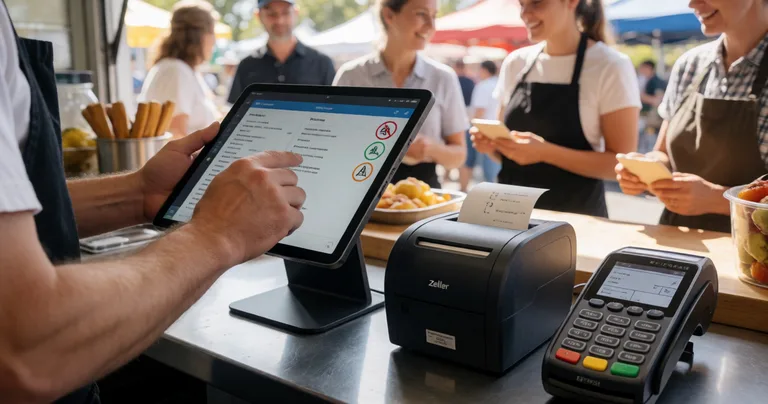
If you want to go deeper on the setup side, read our step-by-step guide on how to prepare cashless sales for events, which covers terminals, connectivity, and staff training.
Always run a full test transaction on every device the day before your event. Pair printers, check EFTPOS connectivity, and confirm your offline mode is enabled. Five minutes of testing saves an hour of queue chaos.
What Is the Best Point of Sale for Australian Market Vendors?
The best point of sale for an Australian market vendor is one that matches your trading style. A coffee cart has different needs to a craft stall or a food truck. The table below compares common POS options against the features that matter most at markets and events.
| Feature | Basic Card Reader | Generic Retail POS | Evntle POS |
|---|---|---|---|
| Cashless payments (tap, card, wallet) | Yes | Yes | Yes, with Zeller EFTPOS |
| Offline mode | Limited | Sometimes | Yes, with auto-sync |
| Multi-device checkout | No | Extra cost | Yes, real-time sync |
| Allergen badges on menu | No | No | Yes, built in |
| Kitchen display system | No | Add-on | Yes, included in Pro |
| Vendor storefront integration | No | No | Yes |
| Event reporting for organisers | No | No | Yes, live dashboards |
For most Australian market vendors, the deciding factors are offline reliability, speed of service, and how well the POS connects to the rest of your event operations. A standalone card reader will take a payment, but it will not help you manage stock, understand your best-selling items, or sync sales back to your storefront.
"The best POS for a market stall is the one that keeps working when the signal drops and your queue is ten deep. Everything else is a bonus."
— Evntle Vendor Operations Team
How do I choose between a cashless terminal and a mobile POS?
A cashless terminal is a single-purpose device that takes card payments. A mobile POS runs on a phone or tablet and does much more — it manages orders, tracks stock, applies discounts, and syncs across devices. For markets and events, mobile POS wins because it scales. You can add a second tablet at peak times without buying new hardware. Our comparison of cashless terminals vs mobile POS breaks down the trade-offs in more detail.
Point of Sale and Event Day Operations
POS is the front line of event day, but it does not work in isolation. It connects to your kitchen display system, order board, and vendor management tools. When these systems talk to each other, queues move faster and mistakes drop.
Keeping food queues moving
Food vendors are the biggest queue risk at any event. Evntle KDS (Kitchen Display System) shows incoming orders on a screen in the kitchen, so staff can see what is next without shouting across the stall. Evntle Order Board displays order numbers for customers, so they know when to collect. Together with POS, this cuts the time between order and pickup.
- POS takes the order and payment
- KDS sends the order to the kitchen display
- Order Board shows the customer their number
- Analytics records the sale and updates stock
Managing vendors across multiple sites
If you run more than one market or festival, you need a single view of vendor performance. Evntle Vendor Management lets you manage vendors across multiple sites, track bump-in and bump-out, assign parking, and handle incident reports. POS sales feed into the same system, so you can compare vendor performance across events without chasing spreadsheets.
Do not rely on a single POS device at a busy stall. If it fails, you lose sales. Evntle POS supports multi-device sync, so a second tablet or phone can take over instantly.
Cashless Payments and Australian Compliance
Cashless payments are now the default at most Australian markets and festivals. Attendees expect to tap and go. Vendors expect fast settlement. Organisers expect clean records. But cashless also brings compliance obligations you cannot ignore.
GST and invoicing
If your event or stall is registered for GST, your POS must produce GST-correct invoices. Evntle Payments handles stall fees, ticketing, and vendor sales with deposits, balances, and GST-correct invoicing built in. This matters at tax time and when you are reconciling event revenue.
Food safety and allergen declaration
Australian food businesses must declare allergens accurately. Evntle POS includes allergen declaration and warning badges on item cards and the order cart, so staff can see what is safe to serve without guessing. This reduces the risk of a serious incident and keeps you on the right side of food safety regulations.
Incident management
Even with the best planning, incidents happen. Evntle Incident Management lets you log incidents with custom forms, severity levels, assigned owners, and timestamped records. If an incident involves a payment dispute or a food safety issue, you have a clear record to work from.
| Compliance Area | What POS Needs to Do | Evntle Feature |
|---|---|---|
| GST invoicing | Issue GST-correct invoices for sales and fees | Evntle Payments |
| Allergen declaration | Show allergen badges on menu and cart | Quick Setup + Allergen Safety |
| Incident recording | Log incidents with severity and timestamp | Evntle Incident Management |
| Staff accountability | Track shifts and reconcile cash at end of day | Staff Management |
| Data retention | Keep sales and attendee records for reporting | Evntle Analytics and Reporting |
How Do I Sync Event Sales Across POS, Online Orders, and Stock?
Syncing sales across channels is one of the biggest headaches for vendors who sell at markets and online. If your POS and your storefront do not talk to each other, you end up overselling stock or double-handling orders. Evntle solves this by connecting POS, vendor storefronts, and event listings in one platform.
When a sale goes through Evntle POS, stock updates automatically. If you also sell through your vendor storefront — a custom subdomain like yourname.evntle.com — those orders feed into the same inventory. At the end of the day, you have one sales report, not three.
For a detailed walkthrough, see our guide on how to sync event sales.
Event Analytics and Reporting from Your POS
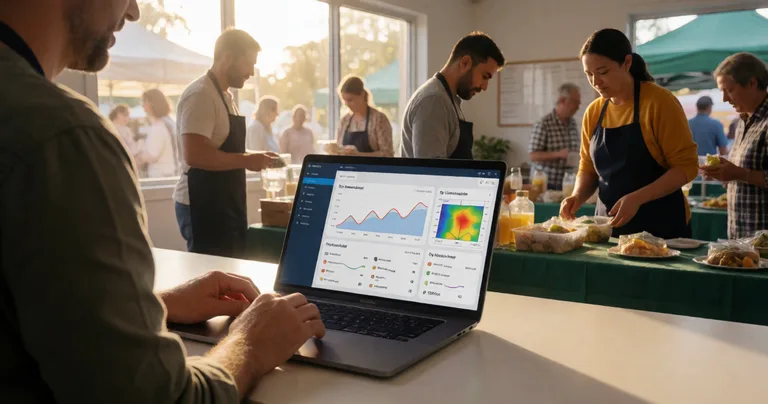
POS data is only useful if you can act on it. Evntle Analytics and Reporting gives organisers and vendors live dashboards, vendor performance metrics, attendance tracking, and end-of-event summary reports.
For vendors, the most valuable reports are:
- Top-selling items by day and by hour
- Peak trading hours and quiet periods
- Average transaction value and basket size
- Stock alerts for fast-moving items
- Repeat customer tracking through the loyalty program
For organisers, POS data feeds into vendor performance comparisons, site plan effectiveness, and attendee spending patterns. This is the data you use to price stall fees, allocate sites, and recruit the right vendor mix next time.
"Events that use POS data to refine stall placement and vendor mix see measurable lifts in vendor satisfaction and attendee dwell time. Data beats guesswork every time."
— Evntle Analytics Team
Frequently Asked Questions
Q: What is the best point of sale for a market stall in Australia?
A: The best point of sale for an Australian market stall is one that works offline, syncs across multiple devices, and handles cashless payments reliably. Evntle POS is built for markets and events, with allergen badges, stock control, and event reporting included.
Q: How do I set up POS for a food stall at an event?
A: Choose an event-ready POS, build your menu with allergen declarations, pair your printer and EFTPOS terminal, set staff roles, test offline mode, and train your team. Evntle's quick setup templates make this a same-day job.
Q: Can I use POS without reliable internet at an outdoor market?
A: Yes. Evntle POS has an offline mode that stores transactions locally and syncs when the connection returns. This reduces failed transactions by up to 40% at events with patchy coverage.
Q: How does POS help event organisers, not just vendors?
A: POS data gives organisers live visibility of vendor sales, peak trading hours, and attendee spending. This feeds into site planning, stall fee pricing, and vendor recruitment decisions.
Q: Is Evntle POS compliant with Australian GST and food safety rules?
A: Yes. Evntle Payments issues GST-correct invoices, and Evntle POS includes allergen declaration and warning badges to support food safety compliance.
Q: How much does Evntle POS cost?
A: Evntle POS starts on the Free plan with up to 50 orders per month. The Starter plan is $19/month with up to 500 orders and 3 devices. The Pro plan is $49/month with unlimited orders, unlimited devices, KDS, customer display board, and advanced analytics.
Point of sale is the engine room of any market or festival. Get it right and your vendors sell more, your queues move faster, and your event data actually means something. Get it wrong and you spend the day firefighting. Evntle connects POS, vendor management, site planning, payments, and analytics in one platform built for Australian events. If you are ready to stop juggling tools, start with Evntle POS and see how much smoother event day can run.