
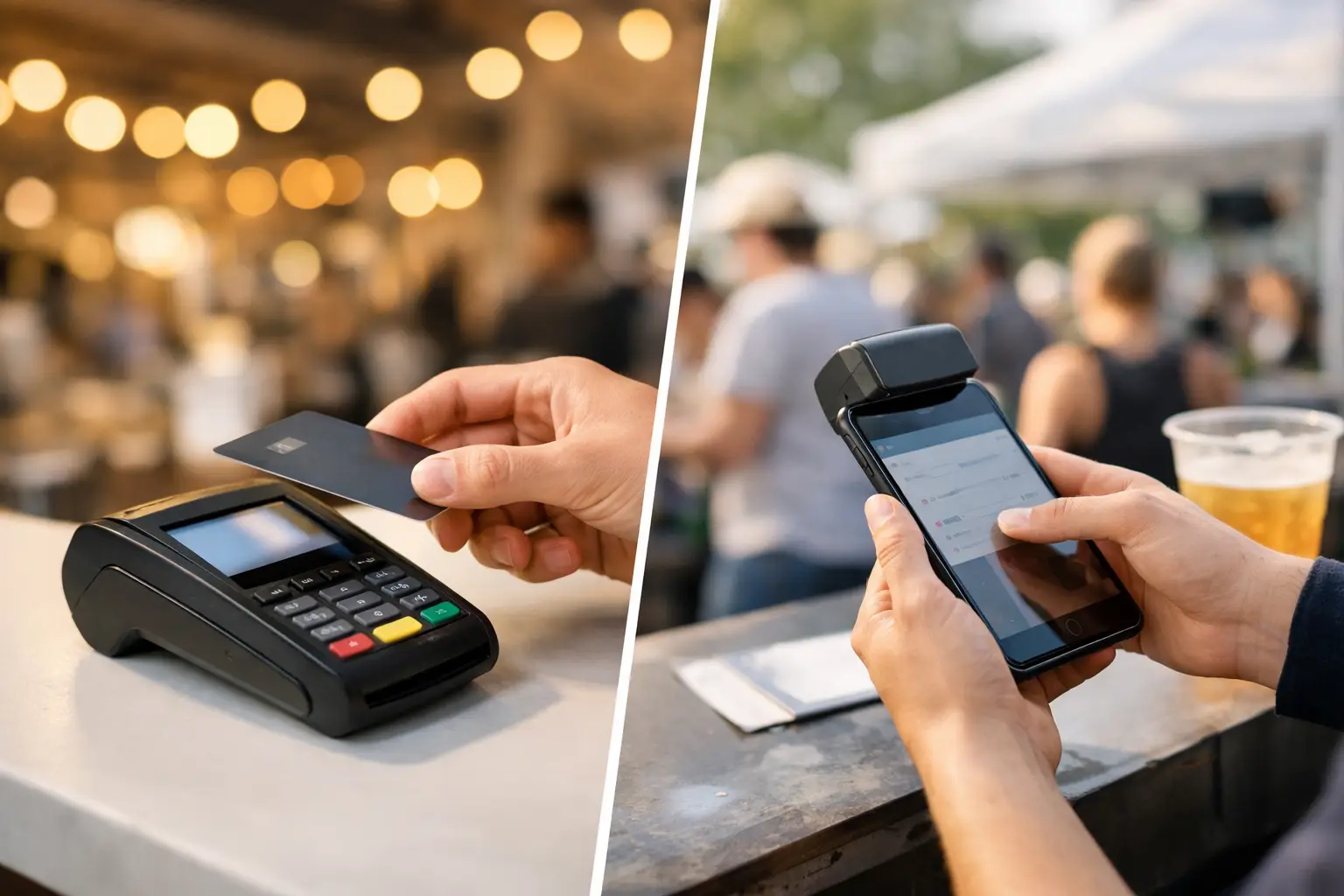
A Saturday market queue can turn quickly. One customer wants a coffee, another is buying three handmade candles, and a third is asking for a receipt before they head back to the car. In that moment, the decision between cashless terminals versus mobile POS is not just about taking card payments. It shapes queue speed, staff workflow, reporting and how confidently your stall can trade when the site gets busy.
For vendors and organisers, the best option depends on what is being sold, how many people are serving, the strength of the mobile signal and whether the event needs more than a simple tap-and-go payment.
Cashless terminals versus mobile POS: the real difference
A cashless terminal is dedicated payment hardware. It is built to accept contactless cards, digital wallets and, depending on the provider, chip-and-PIN payments. Some terminals work independently using Wi-Fi or mobile data. Others connect to a larger point-of-sale system.
Mobile POS is a broader selling setup that uses a mobile phone or tablet with POS software. It may connect to a compact card reader, a standalone terminal or both. Alongside payments, a mobile POS can manage products, modifiers, discounts, stock, customer details, receipts and sales reporting.
The distinction matters because a terminal is primarily designed to process payments. A mobile POS is designed to run the sale.
For a coffee cart with a short menu and a constant queue, a dedicated terminal may be all that is needed at the front counter. For a vintage clothing seller with dozens of one-off pieces, a mobile POS can record exactly what sold, apply a bundle discount and keep the remaining stock accurate. Neither setup is automatically better. The better one is the one that removes friction from your specific event-day workflow.
When a cashless terminal is the smarter choice
Dedicated terminals work well when speed and simplicity matter most. They are familiar to customers, quick for casual staff to learn and less dependent on someone navigating a product catalogue while a queue waits.
This can suit food stalls, bar operators, parking teams, donation points and high-volume vendors selling a small range of fixed-price items. A terminal placed at the counter also gives customers a clear prompt to tap, pay and move on. For busy service periods, that clarity can protect your queue from bottlenecks.
Terminals are also useful as extra payment points. A market vendor might run their main sales through a tablet-based POS while giving a second terminal to a staff member managing the line. A food operator could keep one at the order point and another at collection when customers are adding extras.
There are trade-offs. A terminal alone may provide limited product-level reporting, which makes it harder to see whether oat milk upgrades, a particular print size or a specific flavour drove the day’s revenue. It can also make stock reconciliation more manual after the event. If you sell only a few repeatable items, that may be a sensible compromise. If your product range changes every weekend, it can become a problem.
Where mobile POS earns its place
Mobile POS is built for sellers who need context around each transaction. Instead of entering an amount manually, staff select items from a catalogue. That gives you cleaner data and a more consistent checkout process, particularly when prices vary or customers are buying multiple products.
For market vendors, the operational benefits are practical. A mobile POS can help you apply a market-only offer, track variants such as size or colour, send digital receipts, record customer details with permission and review sales during the event rather than waiting until pack-down.
It is especially valuable for sellers with more complex transactions. Think craft stalls offering custom orders, fashion vendors carrying sizes and styles, gaming merchants with graded products, or car show traders selling parts with different prices and specifications. In these cases, a simple terminal can accept money, but it does not necessarily help your team sell accurately.
A mobile POS also gives organisers more visibility when it is part of a connected event platform. Rather than collecting disconnected payment records from every stallholder, organisers can support vendor operations with clearer sales information, event-specific offers and tools that make the customer journey easier before, during and after the event.
The trade-off is setup. Staff need to know the product catalogue, devices need to be charged and the system must be configured before gates open. A mobile POS without accurate products or reliable connectivity can create more delays than it solves. Preparation is the difference.
Choose based on the event, not the hardware trend
The right setup starts with the reality of your stall. Ask what happens during the busiest ten minutes of the day, not what looks impressive at a quiet trade show.
If your average sale is fast and straightforward, prioritise a terminal that is easy to hand to the customer, has a strong battery and connects reliably on-site. A stall selling $6 cold drinks does not need a complicated checkout flow. It needs quick taps and a visible queue.
If you need itemised sales, stock accuracy or customer follow-up, mobile POS is usually the stronger foundation. It gives you the structure to understand what people bought, what ran out and what should be reordered for the next market.
For many vendors, the most effective answer is a hybrid setup. Use mobile POS as the central system for products, orders and reporting, then pair it with one or more cashless terminals for payment collection. This gives staff a simple customer-facing payment step without losing the business data behind each sale.
Connectivity is an event-day decision
Markets and festivals are not normal retail environments. Mobile networks can become congested when hundreds of attendees arrive at once. Wi-Fi may not reach every stall. Rain, heat and distance from power can all affect how devices perform.
Before choosing hardware, test your intended setup at the actual venue where possible. Check whether your terminal uses Wi-Fi, a SIM connection or tethering from a mobile. Confirm what happens when the connection drops. Some systems support offline transaction capture, but this has limits and may expose you to declined payments later. Understand those limits before relying on them.
Bring charged backup devices, power banks and charging leads. Keep devices protected from weather and make sure staff know who is responsible for each unit. For a multi-day event, charging and handover procedures are as important as the initial purchase decision.
Organisers can help by treating payment connectivity as part of site planning. Vendor maps should consider signal black spots, power access and high-traffic zones. A well-positioned payment area can reduce congestion on narrow walkways and stop queues spilling into neighbouring stalls.
Costs are more than the transaction rate
A low card processing rate can look attractive, but it is only one part of the cost. Consider the upfront device price, monthly software fees, replacement hardware, receipt printing, data plans and the time spent reconciling sales after an event.
A standalone terminal may cost less to begin with, particularly for an occasional seller. But manual product entry and end-of-day reporting can take time. For a vendor attending markets every week, a mobile POS that reduces reconciliation and improves stock decisions may be worth more than a marginally lower transaction fee.
Also consider surcharge settings carefully. Customers are increasingly used to cashless payments, but unexpected fees at the point of sale can damage the experience. If you pass on a surcharge, make it clear before payment and ensure your process meets applicable Australian payment rules. Clear pricing builds trust at a stall where customers may be buying from you for the first time.
Build a checkout that supports repeat business
The payment moment is also a chance to make your stall easier to remember. A digital receipt can include your business name. A well-organised POS can help staff find a customer’s order, offer a relevant add-on or capture permission-based details for future updates.
That does not mean slowing every transaction with a sales pitch. At a packed market, the first job is getting people through the queue. But when the pace allows, connected vendor storefronts and event discovery tools can turn a one-off purchase into a future visit, online order or return customer.
Evntle is designed around this broader event commerce workflow: helping vendors sell on-site while giving organisers and attendees a clearer way to discover the people and products that make an event worth returning to.
Make the decision before bump-in
Do not wait until the first customer reaches the counter to work out who is taking payments, how refunds are handled or what happens if one device fails. Run a short checkout rehearsal before the event. Process a test sale, test a refund, check receipt settings and make sure every staff member can switch to the backup device.
The best payment setup is rarely the one with the most hardware. It is the one that lets your team keep serving, keeps your sales records useful and gives customers a quick, confident reason to come back to your stall.
📖 Related
See the KDS and POS in action — try the live demo or create a free account.