
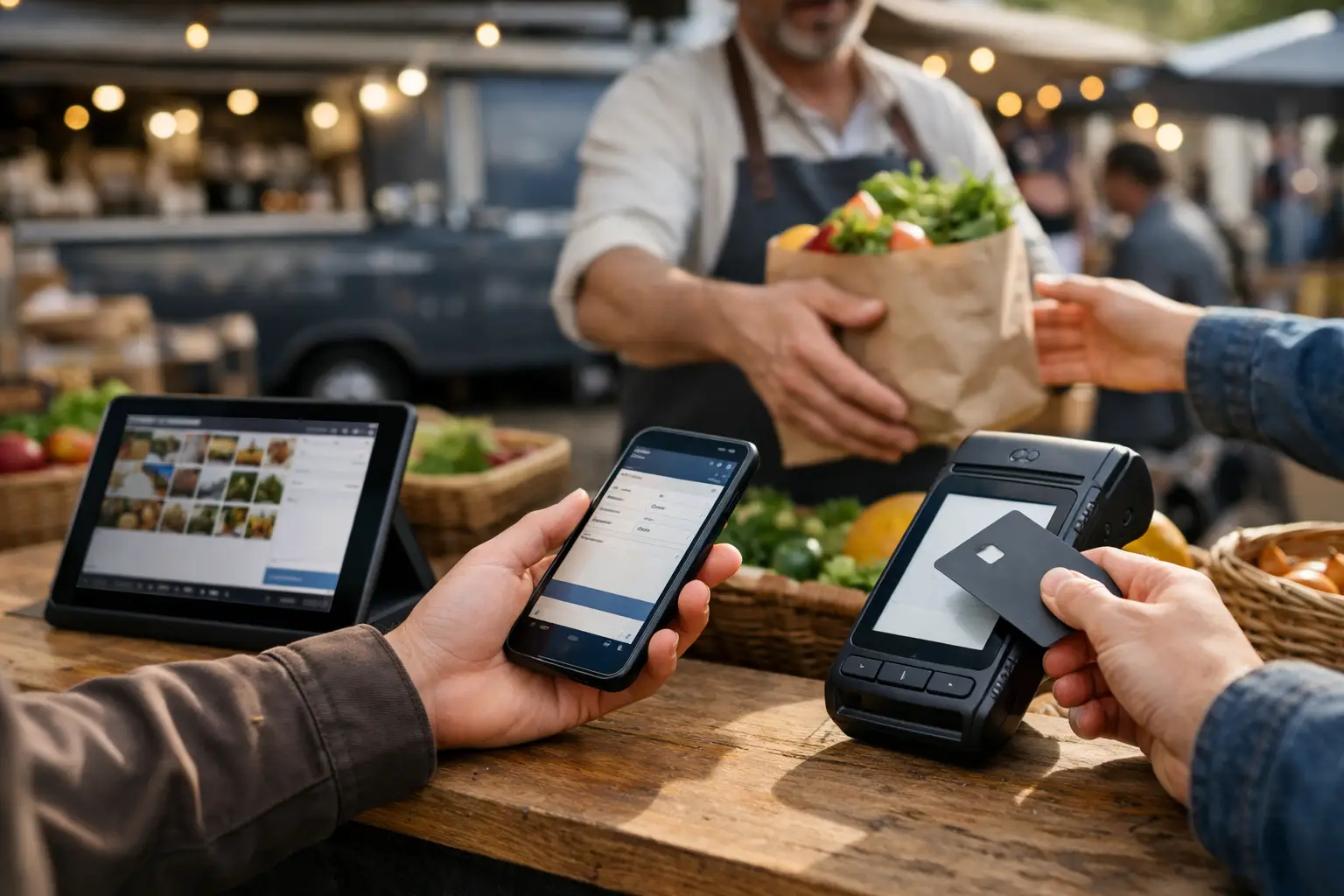
The lunchtime rush hits just as a second seller needs to process a refund, a third is checking whether they have enough stock for the afternoon, and the organiser wants a live view of market sales. A multi device POS for markets is built for this reality. It gives vendors and event teams the ability to sell, manage and monitor from more than one device without splitting the event into disconnected systems.
For a busy farmers market, craft fair, food festival or convention, one terminal is rarely enough. Customers do not arrive in a neat line, stock does not stay in one place, and event-day decisions cannot wait until pack-down. The right setup keeps each stall moving while giving organisers clearer operational visibility across the site.
Why one POS device can hold a market back
A single point of sale can work for a quiet stall with a short product list. It becomes a bottleneck when one person is taking payments, another is packing orders, and someone else needs to check prices or sales history. The issue is not only speed at the counter. It is the lack of shared, current information.
At markets, vendors often sell from a marquee, a food van, a ute display or multiple points around a large stand. A jewellery maker may take payments at the front while a team member wraps items at a side table. A food operator might need one device at the order point and another at collection. If those devices are not working from the same catalogue and order data, staff can easily sell an item that is already gone or create inconsistent pricing.
For organisers, the challenge is broader. Vendors are arriving, customers are filtering through the gates, and issues need quick answers. Fragmented payment tools make it harder to understand how the event is performing and where operational support is needed.
What a multi device POS for markets should do
Multi-device capability is more than allowing the same account to be signed in on a mobile and tablet. It should support the practical jobs happening across an event site, with permissions and data that make sense for each person using it.
Keep every sale tied to the same catalogue
Each device should access the same products, variants, prices and available stock. When a customer buys the last navy cap at one counter, another seller should see that availability change straight away. This matters most for limited-run handmade goods, vintage pieces, merch drops and food items with small batches.
A shared catalogue also reduces awkward counter conversations. Staff do not need to ring the owner to confirm a price, scroll through old messages or guess which options remain. They can focus on the customer in front of them.
Give staff the right level of access
Not everyone at a stall needs the same controls. A casual helper may need to process sales but not edit product prices, issue large refunds or view detailed business reports. The stallholder may need full access, while an event manager needs a site-level view rather than access to every vendor's private business settings.
Clear roles protect the business and make training easier. Before gates open, staff can learn one focused workflow rather than navigating a system designed for an account owner.
Work across the devices people already carry
A practical market POS needs to fit the equipment available on-site. That may mean a tablet at the main counter, a mobile in a roaming staff member's hand, and a second tablet for click-and-collect or leads. The best configuration depends on the stall.
A small candle seller may only need a mobile as backup during peak periods. A busy food vendor may require separate ordering and collection devices. A large makers market may benefit when organisers have their own operational view while each vendor runs their individual checkout. The goal is not to add screens for the sake of it. It is to remove the places where customers, staff and information get stuck.
Make event reporting useful while the market is live
End-of-day reporting matters, but market operators also need visibility before the event finishes. Real-time sales data can show whether a stall is experiencing an unexpected rush, whether a promotion is gaining traction, or whether product stock needs attention before the next session.
For recurring markets, those patterns become more valuable over time. Vendors can compare trading days and product categories. Organisers can use marketplace activity alongside vendor operations to better understand how people engage with the event. Numbers should lead to practical action, not another spreadsheet left unopened after pack-down.
Build the setup around the customer journey
The strongest POS setup starts with how people actually buy at your event. Customers might discover a vendor online before the weekend, browse products on arrival, pay at a stall, then return later to collect an order. A point of sale should support that journey rather than treating the payment as an isolated moment.
For vendors, this means the counter is connected to their broader storefront and product presence. For attendees, it creates a more consistent experience: the name, products and availability they saw before arriving match what they find on-site. For organisers, it helps turn a one-day visit into an event community people can revisit and share.
Evntle is designed around this connected event commerce model, bringing vendor operations, market discovery and on-site selling into one platform. That is especially useful when an organiser wants to reduce the number of separate tools vendors must learn while still giving each business control over its own sales activity.
Plan for the conditions, not the ideal scenario
Market technology has to work around real conditions: patchy reception, glare on a tablet screen, a wet morning, noisy queues and staff who have never used your POS before. Multi-device operations add resilience, but only when the basics have been planned.
Before an event, test every device with the same account, check staff permissions and make sure products are easy to find. Use clear product names and categories that reflect how customers ask for items. ‘Large black tee’ is faster at a counter than an internal stock code no staff member recognises.
Power also deserves attention. Bring charged battery packs, charging cables and a protected place for devices away from spills, heat and public reach. Food stalls should consider how hands-free or low-touch workflows will work during service. Retail sellers should decide who handles wrapping so the person taking payments is not trying to do three jobs at once.
Internet is the other trade-off. Mobile data may be stronger than venue Wi-Fi, or the reverse may be true. Test at the actual site where possible, including the farthest stall location. If the event covers a large outdoor area, do not assume the connection near the organiser tent reflects the conditions at every row.
Questions to ask before choosing your system
A POS can look polished in a demo and still be the wrong fit for a market. Ask whether multiple devices update inventory and orders as sales happen, whether staff roles can be controlled, and whether the system works for the types of products your vendors sell.
Also ask what happens beyond payment. Can vendors build a recognisable online presence? Can organisers coordinate applications, sites and event-day operations in the same ecosystem? Can attendees find the event and preview who will be there? A market platform delivers more value when it supports the full commercial loop, not just the final tap of a card.
Cost matters too. A low monthly fee can become expensive if it requires extra subscriptions for vendor management, customer discovery, reporting and storefronts. On the other hand, an all-in-one platform may be more than a very small seller needs. Match the system to the scale of your operation and the growth you expect, rather than buying for a hypothetical enterprise event.
The payoff is a calmer trading day
A multi-device setup will not stop a sudden downpour or make a sold-out bestseller reappear. It can, however, give your team a clearer way to respond when the market gets busy. Sales continue at more than one point, stock information stays current, and staff know what they are responsible for.
That leaves vendors with more time for the conversation that brings customers back, and organisers with more capacity to run the event rather than chase operational gaps. When technology matches the pace of a live market, the stall feels less like a queue and more like a business ready to grow.
📖 Related
See the KDS and POS in action — try the live demo or create a free account.