
ERP Software for Australian Events: Vendor POS Guide

ERP software for events is a connected operations platform that runs vendor applications, stallholder bookings, point of sale, ticketing, site planning, incident management and analytics in one system. For Australian market managers and festival directors, it replaces the spreadsheet-and-inbox scramble that breaks somewhere around 60 vendors. Evntle is built for exactly this: stallholder bookings, Evntle POS with offline mode, ticketing, vendor management and attendee discovery in a single platform. This guide explains what to look for, what it costs you to ignore, and how to run a smoother event day.
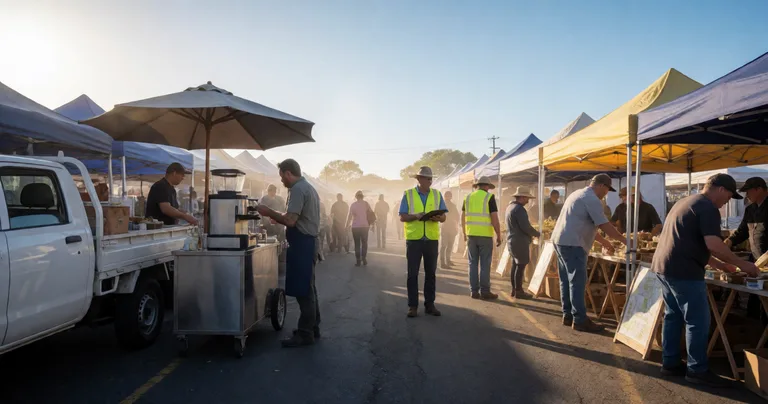
Let's be honest about the problem. Spreadsheets and inboxes stop working somewhere around 60 vendors. Applications get lost, site plans go stale, and on event day you're chasing payments, parking passes and power points while a queue builds at the coffee stall. Traditional ERP software was built for factories and warehouses, not for a Saturday farmers market with 80 stallholders and a food truck alley. Event organisers need something that speaks the language of bump-in, stall fees, cashless payments and crowd flow.
What ERP Software for Events Actually Needs to Do
Most event organisers don't wake up wanting ERP software. They wake up wanting to stop double-handling vendor applications, stop guessing which stall sold what, and stop rebuilding the site map every month. That's the real job to be done.
A fit-for-purpose event ERP should cover four operational pillars:
- Vendor and stallholder management — applications, approvals, waitlists, site allocation, permits and payments.
- Event-day commerce — point of sale, cashless payments, kitchen displays, order boards and stock control.
- Logistics and safety — bump-in and bump-out checklists, incident logging, crowd flow and site planning.
- Attendee and analytics — ticketing, discovery, sales reporting and vendor performance data.
Traditional ERP assumes fixed sites and predictable supply chains. Event ERP assumes everything moves: vendors arrive and leave, sites get reassigned, connectivity drops out, and 10,000 people walk through in six hours. Offline-capable POS and real-time site maps aren't nice-to-haves — they're the baseline.
Why spreadsheets stop scaling
Spreadsheets are brilliant for 20 vendors. At 60 they start to strain. At 150 they become a liability. Version control breaks, formulas get overwritten, and nobody trusts the numbers by Sunday night. If you've ever run a market on a shared Google Sheet, you already know the pain. Our guide to Integrated Event Tools vs Spreadsheets breaks down exactly where the tipping point sits.
Vendor and Stallholder Management: The Admin Killer
Vendor admin is where most organisers lose their weekends. A structured system turns a chaotic inbox into a pipeline you can actually see.
Applications, approvals and waitlists
Structured applications mean you collect the same information from every vendor — insurance certificates, food handling permits, power requirements, product categories. Status pipelines let you move applicants from 'submitted' to 'reviewing' to 'approved' without losing anyone. Waitlists fill gaps when a stallholder pulls out two days before the event.
Evntle Vendor Application Management handles this end to end, and Evntle Vendor Waitlist Management keeps your vendor mix intact when cancellations hit. For a deeper walkthrough, see our Stallholder Booking Software for Australian Markets guide.
Site allocation without the whiteboard
Assigning stalls is a puzzle: food trucks need power and clearance, craft stalls want foot traffic, and nobody wants to be stuck behind the toilets. Digital site planning lets you drag, drop and reassign without redrawing the whole map. Evntle Site Planning and Evntle Event Floor Layouts make this practical, and our guide on How to Assign Stalls at Events covers the trade-offs.
| Vendor admin task | Spreadsheet approach | Event ERP approach | Time saved per event |
|---|---|---|---|
| Application intake | Email + manual entry | Structured forms with status pipeline | 6–10 hours |
| Site allocation | Whiteboard or static map | Interactive drag-and-drop site map | 3–5 hours |
| Payments and bonds | Manual invoicing + reconciliation | Automated stall fees, deposits, bonds | 4–6 hours |
| Vendor communication | Group emails and SMS threads | Vendor portal + targeted messaging | 2–4 hours |
| Bump-in tracking | Paper checklist | Real-time arrival notifications | 1–2 hours |
"The moment you stop rebuilding the site map every month is the moment you get your Sundays back."
— Evntle market operations team
Point of Sale and Cashless Payments at Events
Event-day commerce is where ERP software earns its keep. Queues kill sales, and cash slows everything down. A modern event ERP connects POS across every stall so you can see live sales, not guess at them.
Why offline mode matters
Showgrounds, regional markets and pop-up sites often have patchy mobile coverage. If your POS needs a signal to take a payment, you're one dead zone away from a lost trading day. Evntle POS runs in offline mode and syncs when connectivity returns, so a food truck in a paddock can keep selling.
Cashless payments and faster queues
Cashless isn't a trend — it's the default for most Australian event-goers. Tap-to-pay, mobile checkout and multi-device POS all reduce transaction time. Our How to Prepare Cashless Sales for Events guide walks through terminals, connectivity, staff training and reporting.
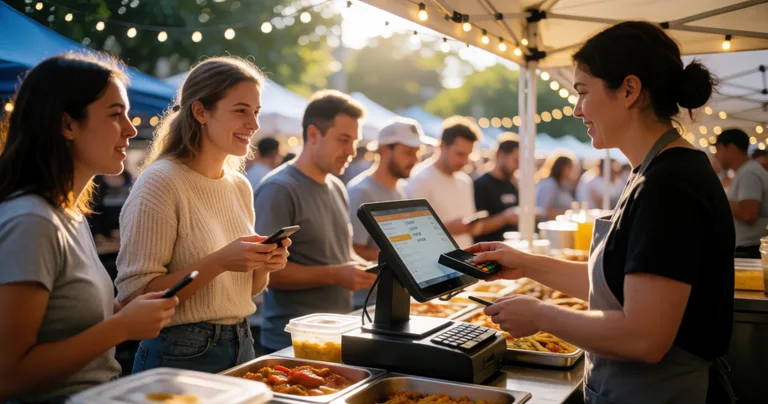
Run a 15-minute POS drill before bump-in. Have every stallholder take a test transaction, print a receipt, and confirm their device syncs. It catches 90% of event-day payment issues before the gates open.
Food queue management
Food stalls are the bottleneck at almost every event. Evntle KDS (Kitchen Display System) and Evntle Order Board keep orders visible, sequence cooking, and stop the 'who ordered the satay' chaos. For a comparison of options, see Best Food Queue Management Tools.
| Payment method | Avg. transaction time | Best for | Reporting quality |
|---|---|---|---|
| Cash | 25–40 seconds | Low-value, high-volume stalls | Manual tally only |
| Standalone card terminal | 10–15 seconds | Single-stall vendors | Per-terminal only |
| Integrated mobile POS (Evntle POS) | 5–8 seconds | Multi-stall markets and festivals | Live, consolidated across stalls |
| Order-ahead / QR ordering | 2–4 seconds at counter | High-demand food vendors | Linked to POS and KDS |
Market and Festival Planning: Bump-In to Bump-Out
Planning an event is a logistics exercise dressed up as a marketing exercise. The organisers who run the smoothest events are the ones who've systematised bump-in, crowd flow and contingency.
Bump-in and bump-out
Bump-in windows, parking passes, power points, waste disposal — every one of these is a coordination point. Evntle Bump-in and Bump-out tracks arrivals in real time with notifications and alerts, so you know who's on site and who's running late. Our How to Streamline Vendor Check In guide covers the workflow in detail.
Crowd flow and site safety
Crowd flow isn't just a safety issue — it's a sales issue. If people can't reach the back row of stalls, those vendors don't sell. Evntle Crowd Flow Management helps you place high-traffic vendors, widen pinch points and keep queues from blocking aisles.
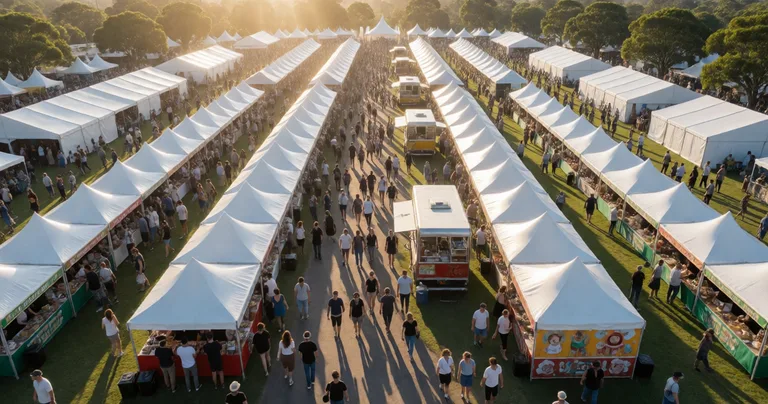
Don't put your highest-demand food vendor at a dead-end aisle. Queues will block the walkway, frustrate attendees and cut sales for neighbouring stalls. Place them at the edge of the flow, not the end of it.
Incident management
Every event has incidents — a slip, a lost child, a generator failure. What matters is how you log and resolve them. Evntle Incident Management captures timestamped records with severity, assigned owners and custom forms, so your post-event review is based on facts, not memory. Our Soro Event Incident Management Software article explains the workflow.
Attendee Discovery, Engagement and Analytics
An event that nobody can find is an event that doesn't sell. Discovery and analytics close the loop between marketing, attendance and vendor sales.
Discovery and engagement
Evntle Event Discovery lets attendees browse markets, festivals and conventions, filter by location, date or type, follow favourite vendors and leave reviews. That's repeat attendance built into the platform — and repeat attendance is what makes a recurring market viable.
Vendor sales and analytics
Live dashboards show revenue per stall, top-selling items, peak-hour heatmaps and stock alerts. That data changes decisions: which vendors to rebook, where to place them, what to price, and when to add capacity. Evntle Event Analytics and Evntle Vendor Analytics turn stall-level transactions into site plans and vendor mixes that actually perform. For a comparison of marketplace versus ticketing approaches, see Soro Vendor Marketplace vs Ticketing Software.
Industry data: why this matters now
The Australian live events and markets sector is a significant economic contributor. According to the Australian Festivals and Events Association (AFEA) 2023 Industry Report, the events sector contributes over $15 billion annually to the national economy and supports more than 100,000 direct jobs. Separately, the Australian Retailers Association's 2023 Payments Report found that contactless payments now account for more than 85% of in-person retail transactions in Australia — which is why cashless POS at markets is no longer optional. And the Australian Bureau of Statistics (ABS) Retail Trade data consistently shows that food and beverage vendors represent the largest single category of stallholder revenue at weekend markets. For event organisers, those three data points point the same way: more vendors, more transactions, and more pressure to run a connected operation.
"If you can't see which stalls sold what by Sunday night, you're planning next month's market on guesswork."
— Evntle analytics team
How to Choose the Right Event ERP Software
Not every platform fits every event. Use these questions to sort the real contenders from the marketing gloss.
- Does it handle offline POS? If not, it will fail at regional and pop-up sites.
- Can it manage vendor applications and site plans in one place? Disconnected tools recreate the spreadsheet problem.
- Does it support cashless payments with consolidated reporting? You need per-stall and event-wide visibility.
- Does it handle bump-in, bump-out and incident logging? Event-day logistics is where events succeed or fail.
- Is there an attendee discovery layer? Discovery drives repeat attendance and vendor sales.
- What's the pricing model? Check Evntle Pricing to compare against your current tool stack.
If you're running a farmers market specifically, our Soro Farmers Market Vendor Software guide covers the vendor workflow end to end. For a broader platform view, Soro Event Vendor Management Software That Works is a good starting point.
Frequently Asked Questions
Q: What is ERP software for events, and how is it different from general ERP?
A: Event ERP software is a connected operations platform built for live events — markets, festivals, fairs and conventions. Unlike general ERP (which assumes fixed sites and predictable supply chains), event ERP handles vendor applications, site allocation, offline-capable POS, ticketing, bump-in and bump-out, incident management and analytics. Evntle is an example: it combines stallholder bookings, Evntle POS, ticketing and vendor management in one platform designed for Australian events.
Q: How do I choose ERP software for a farmers market in Australia?
A: Start with the four operational pillars: vendor management, event-day commerce, logistics and safety, and analytics. Then check for offline POS (essential for regional markets), structured vendor applications, digital site planning, and cashless payment support. Evntle Farmers Market Vendor Software covers the vendor side, while Evntle Market Organiser Software handles the organiser side. Our Soro Farmers Market Vendor Software guide walks through the full workflow.
Q: Can event ERP software work without internet at the venue?
A: Yes — if it's built for it. Evntle POS runs in offline mode and syncs when connectivity returns, so payments, stock and order data stay accurate even at showgrounds or paddock sites with patchy mobile coverage. Always test offline mode during bump-in before you rely on it.
Q: What's the best way to manage cashless payments across multiple stalls?
A: Use an integrated POS that consolidates transactions across every stall into one live dashboard. Standalone card terminals only report per-terminal, which means you can't see event-wide sales in real time. Evntle Cashless Payments and Evntle Multi Device POS keep every stall connected, and our How to Prepare Cashless Sales for Events guide covers the setup.
Q: How does event ERP software help with crowd flow and safety?
A: It connects site planning, vendor placement and incident logging. Evntle Crowd Flow Management helps you place high-traffic vendors, widen pinch points and keep aisles clear, while Evntle Incident Management logs issues with timestamps, severity and assigned owners. The result is a safer event and better sales for every stall.
Q: Why should I move from spreadsheets to event ERP software?
A: Spreadsheets break somewhere around 60 vendors. Version control fails, payments get missed, and event-day data is unreliable. Event ERP replaces that with structured applications, automated payments, live POS reporting and real-time site plans. Our Integrated Event Tools vs Spreadsheets comparison shows exactly where the tipping point sits for Australian markets.
ERP software for events isn't about replacing your instincts — it's about giving them better data. The organisers running the smoothest markets and festivals in Australia aren't working harder; they've connected vendor applications, POS, site planning, incident logging and analytics into one system. Evntle is built for exactly that job, from a 40-stall farmers market to a 500-vendor gaming convention. Start with a free account, set up one event, and see how much admin you get back before your next market day.
📖 Related
See the KDS and POS in action — try the live demo or create a free account.